
Multi-client setup
Run separate boards for different clients, products, or segments. Manage them all from one dashboard.
7-day free trial. No credit card required.
Share feedback activity, roadmap movement, and client-friendly product updates with the Discord servers your community already uses.
Joined by 180+ teams
Discord gets the updates. Feedvote keeps the feedback board, votes, roadmap, and changelog organized.
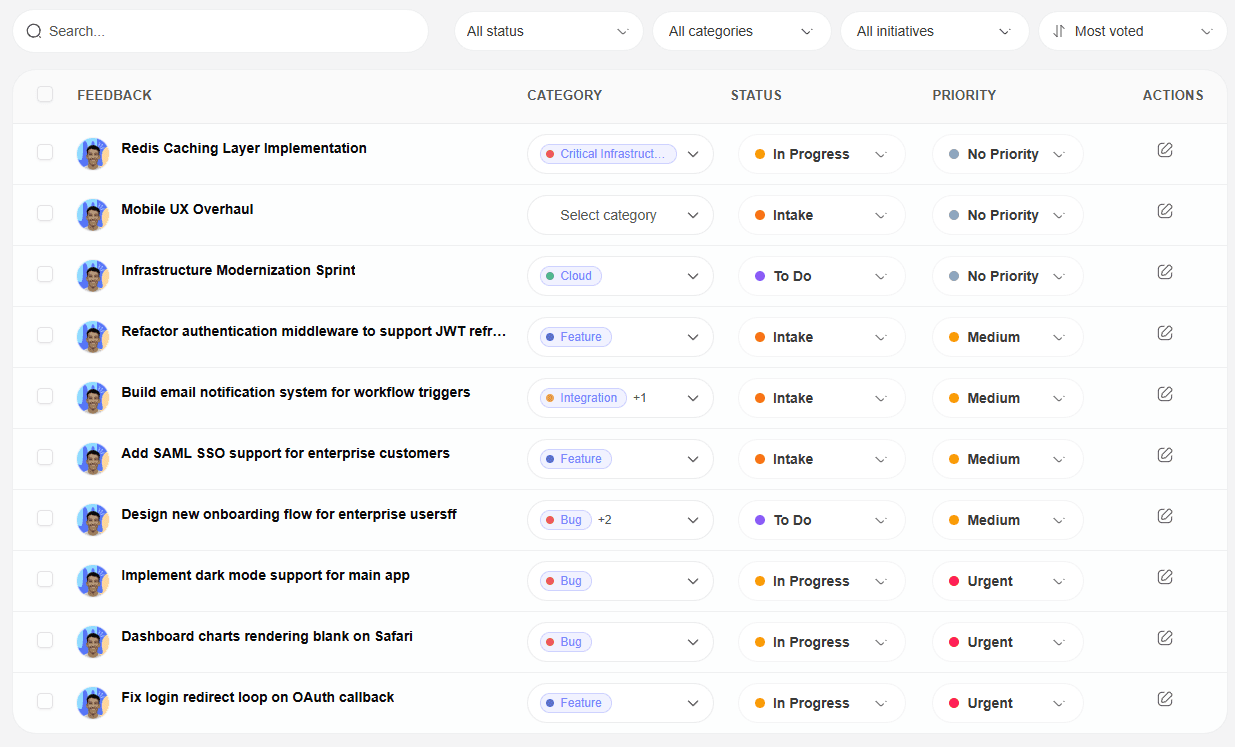
Point users to Feedvote for submissions and voting, then share meaningful updates back into Discord.
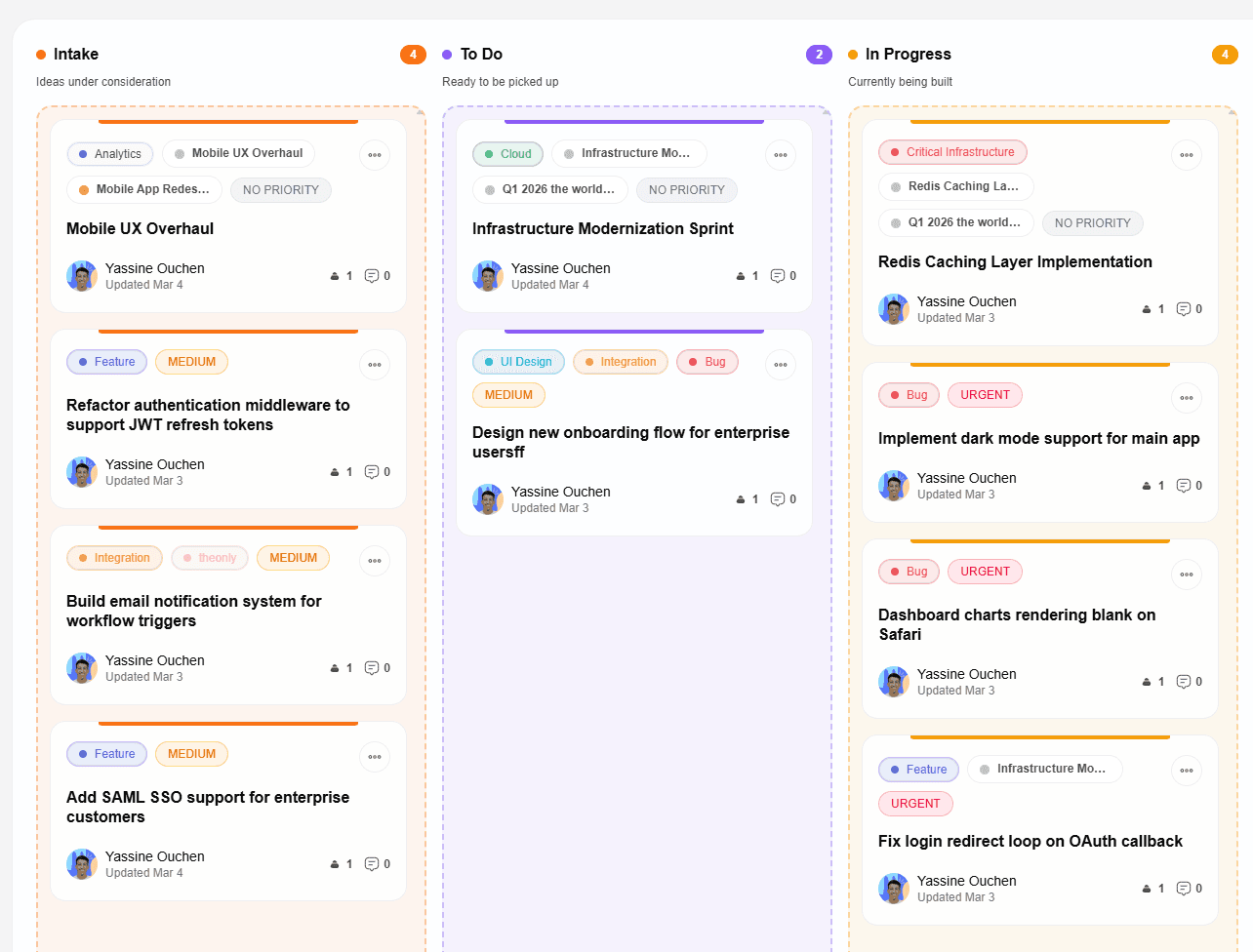
Let community members see roadmap movement without needing access to your internal project tracker.
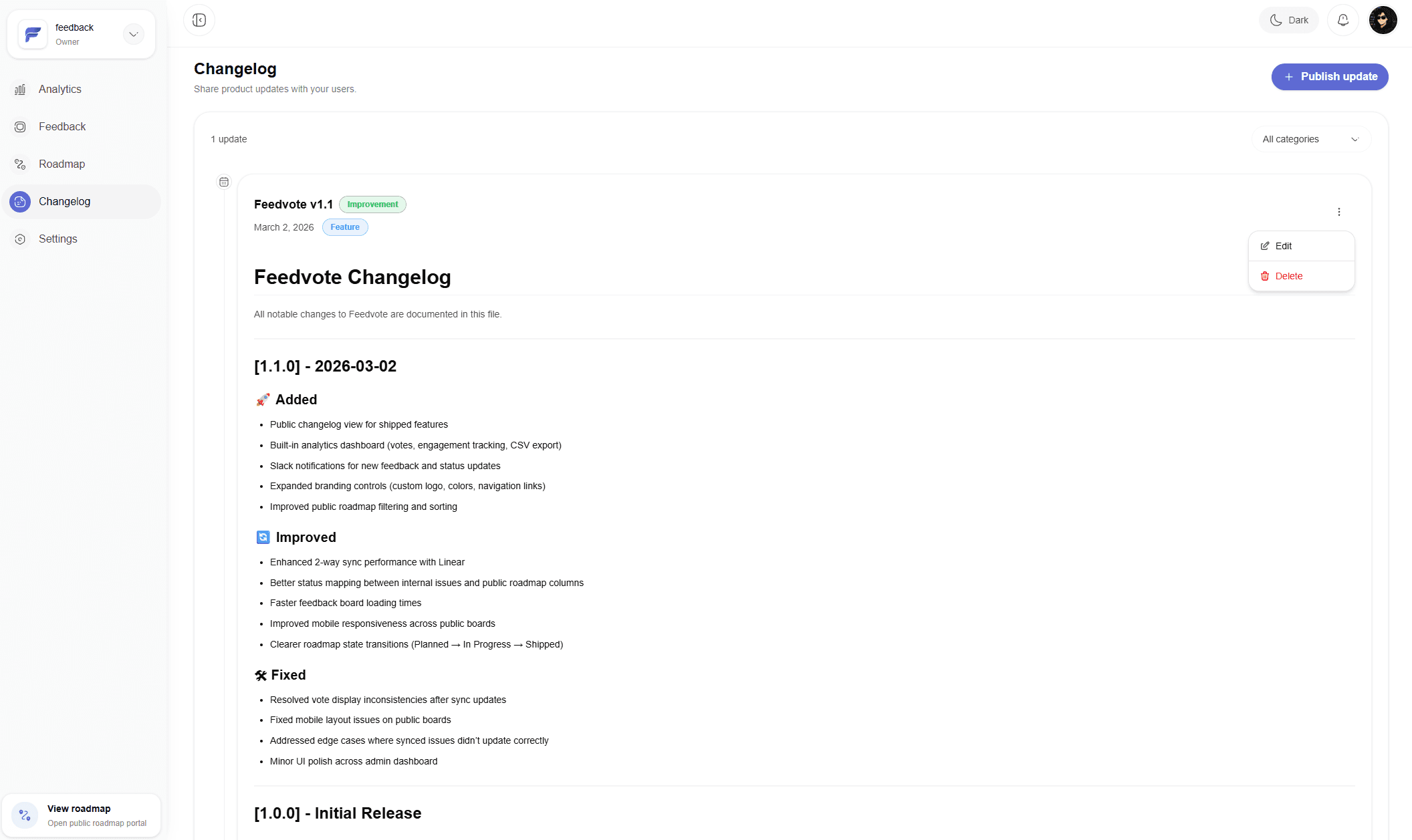
Feedvote turns shipped work into updates, while Discord helps those updates reach your community quickly.
Everything you need to run client feedback portals without adding another messy project-management layer.
Run separate boards for different clients, products, or segments. Manage them all from one dashboard.
Your team sees everything. Clients only see what you approve for their board. Work internally or share externally.
Two-way sync keeps your feedback board, Linear issues, and Linear projects updated together automatically.
Review submissions before they go public. Approve, reject, or reinstate with one click.
Add your logo, client brand colors, and custom domain. Make every portal feel polished.
Structure feedback with tags and categories. Keep your board organized as it grows.
Clients get notified by email whenever their feedback moves to a new status.
Collect client feedback on your own domain. Custom domain with SSL on the Business plan.
And much more: anonymous voting, CSV export, analytics, team roles, and new features shipping regularly for agencies and SaaS teams.
Client Requests Everywhere
Feedback gets buried in calls, Slack, email, Notion docs, and account-manager notes before delivery ever sees it.
No Client Visibility
Clients keep asking for updates because there is no clean way to show roadmap progress without exposing your internal Linear workspace.
Manual Handoff
Account teams copy requests into Linear by hand, losing votes, context, priority, and the original customer language.
Quiet Delivery Wins
When requested work ships, clients often miss it because nobody has time to write one more status update.
One plan. Everything included. No limits.
$49/month
Everything you need to collect feedback, ship roadmaps, and keep users in the loop.
What's included
Common questions before rolling this out to clients
Feedvote helps agencies collect, manage, and act on client feedback in one place. Share branded boards, capture feature requests, prioritize by votes, and close the loop when work ships.
Absolutely. You can run private boards per client or public boards for communities. Your team sees everything, while visitors only see what you approve.
Feedvote is built for agencies and SaaS teams that want to ship, not configure. You get feedback boards, roadmap, changelog, analytics, and Linear sync in one clean tool.
Yes. Feedvote has 2-way Linear sync, Slack notifications, Discord updates, and webhooks for custom automations. Email digests, Jira, GitHub, Notion, and Zapier are planned.
Yes. Every client can have a roadmap and changelog out of the box. They can see what's planned, in progress, and shipped without asking for manual updates.
Yes. On the Business plan you can use your own domain with SSL and remove all Feedvote branding. Add agency or client branding to make the portal feel native.
Yes. Feedvote has a 7-day free trial with no credit card required. Sign up and start collecting feedback immediately.
Email us at yassine@feedvote.app anytime. We're a small team and we reply fast.
Collect requests, keep customers updated, and give your team a cleaner path from feedback to shipped work.