
Static docs page
A docs page is easy to publish, but every status change becomes manual upkeep.
 Linear public roadmap
Use Feedvote as the public roadmap layer for selected Linear work, so customers can follow progress without seeing your internal planning.




200+ teams use Feedvote

Feedvote + Linear
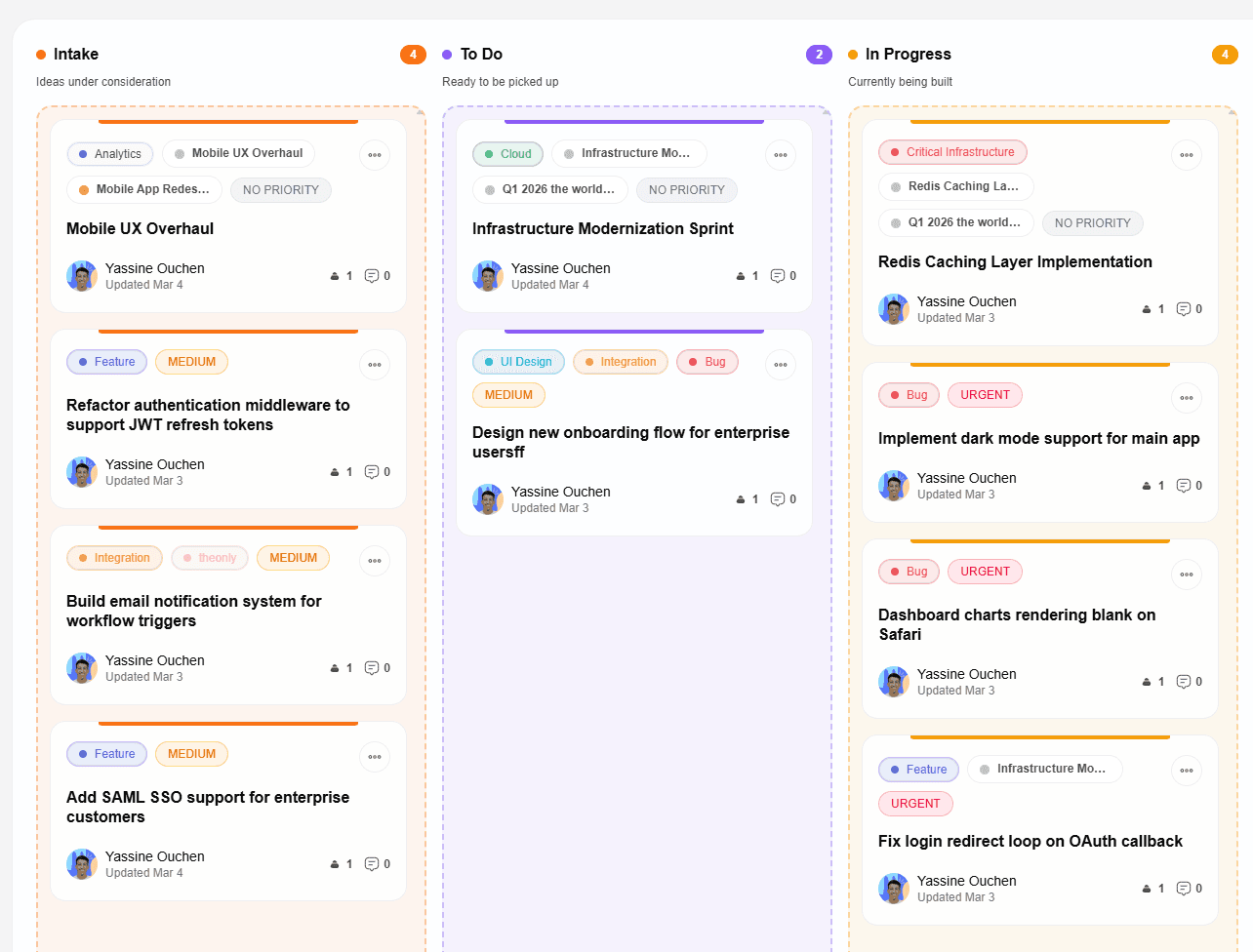
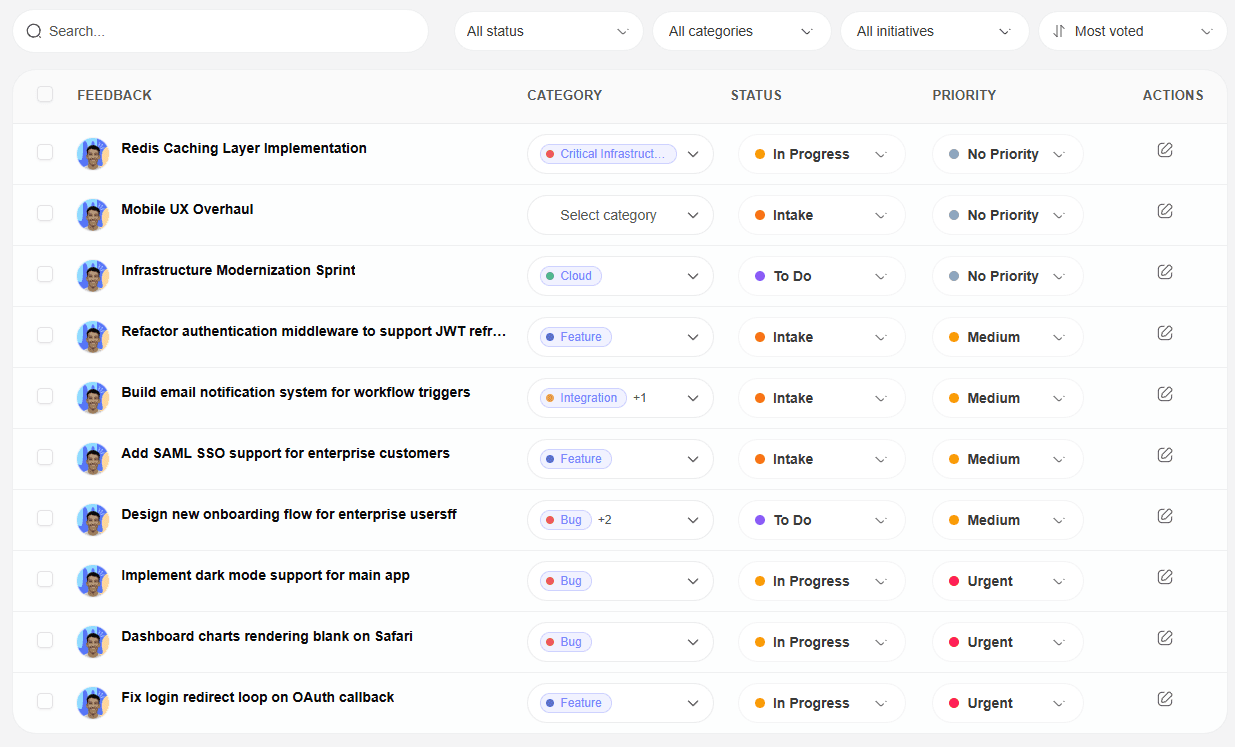
Create the work in Linear, connect Feedvote, then choose the teams, issues, projects, and labels that belong in the customer-facing view. Map internal states to clear roadmap columns, set public or customer-specific visibility, and let Feedvote keep the shared roadmap current while Linear remains your private planning system.
Feedvote's import wizard turns a large Linear workspace into a deliberate publishing source. Choose the content and preview the scope before records are created.
A roadmap can be broadly public without making every item public. Feedvote separates anonymous public visibility from named customer-group access.
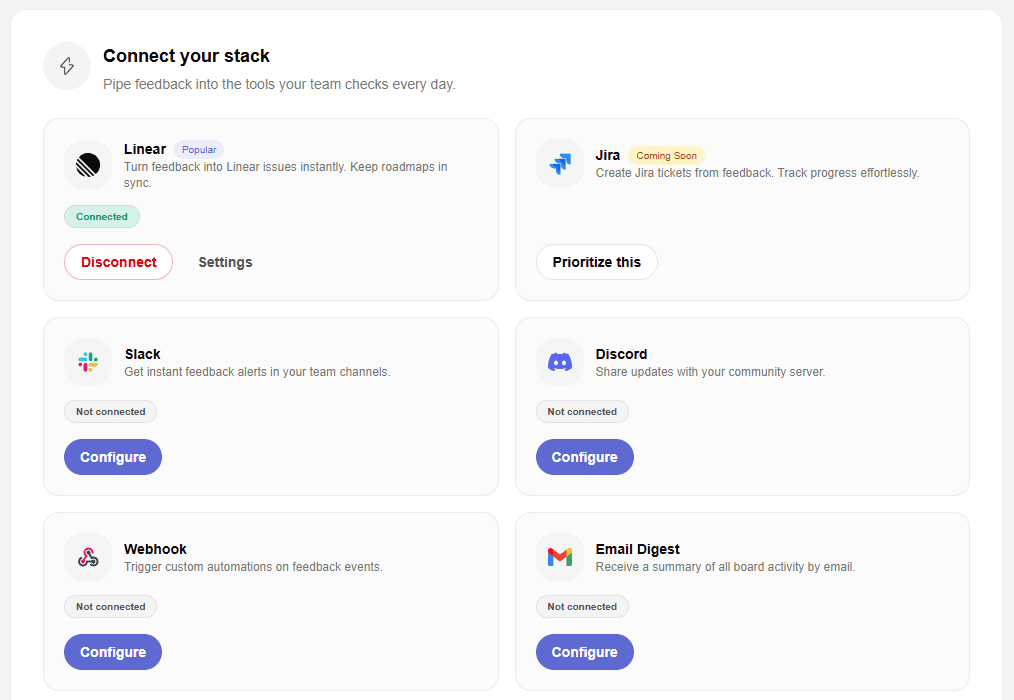
Turn internal delivery status into simple customer-facing labels like planned, in progress, and shipped.
Give customers, prospects, and stakeholders a place to check progress before they ask your team for a status update.
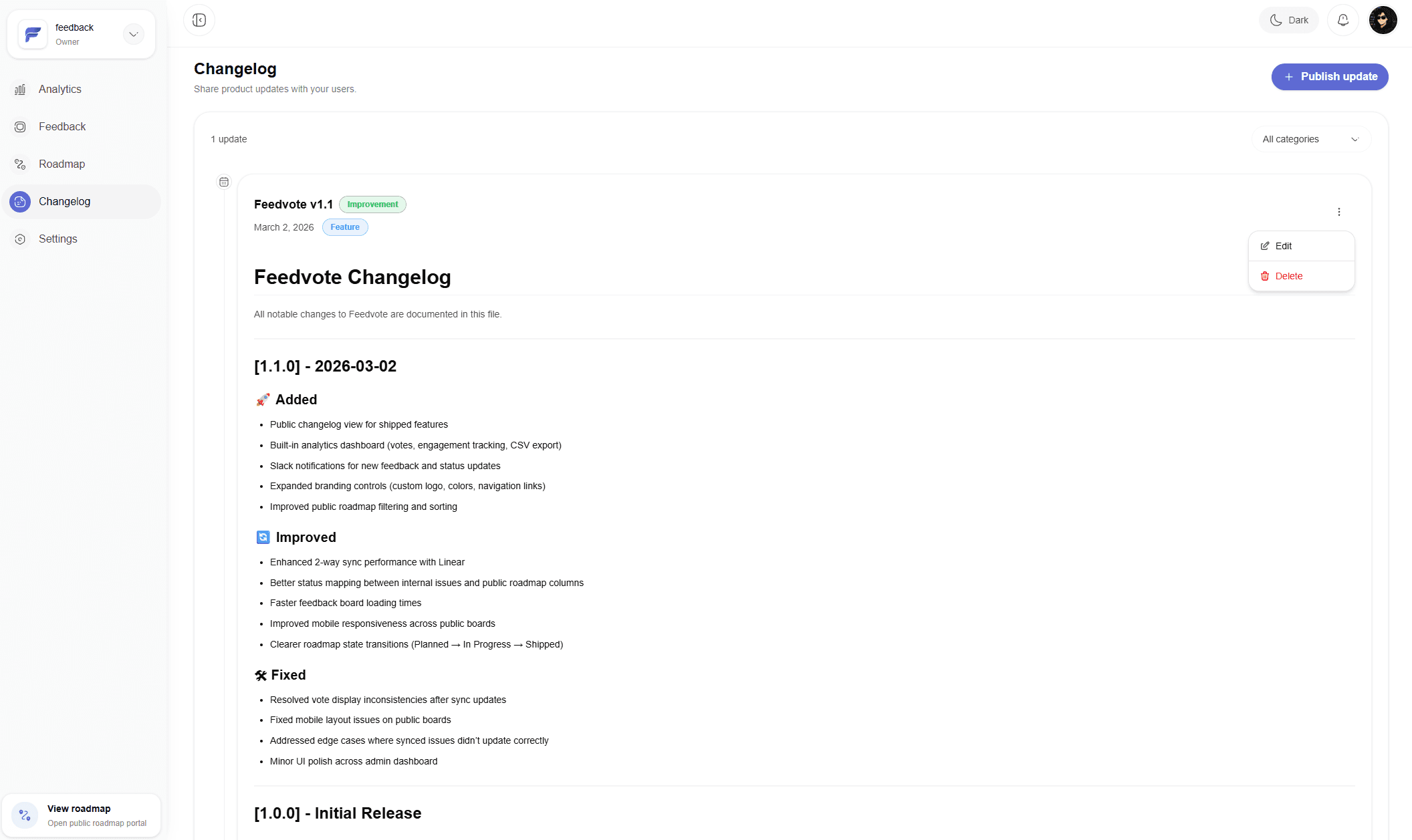
When a roadmap item ships, Feedvote helps turn that progress into updates customers can actually read.
Docs pages and spreadsheets can show a roadmap snapshot. Feedvote keeps the roadmap connected to customer requests and Linear progress.
A docs page is easy to publish, but every status change becomes manual upkeep.
A spreadsheet works internally, but it is not built for customer votes, notifications, or a polished public board.
An issue tracker can expose too much implementation detail and can be hard for non-technical customers to scan.
See the full Feedvote workflow for Linear feedback, feature requests, and public roadmap updates.
Give each client a controlled view of selected Linear work, requests, and progress without sharing your workspace.
Turn raw customer ideas into prioritized Linear issues without filling Linear with noise.
Give users a place to submit, vote, and follow requests while engineering stays in Linear.
Compare Feedvote for Linear-first teams that want feedback, roadmap, and updates together.
Give every customer group a controlled view of selected Linear issues and projects.
Choose source teams, projects, labels, one created-date condition, completed-work handling, comments, and status mapping before import.
Control browsing, participation, moderation, public labels, displayed fields, and navigation.
Yes. Feedvote gives Linear teams a public roadmap layer so selected work can be shared with customers while private Linear work stays internal.
No. Most teams publish only customer-relevant work. Feedvote helps you keep private work hidden and show the roadmap items that matter externally.
Yes. Feedvote can show customer-facing roadmap stages such as planned, in progress, and shipped.
No. Customers can view the roadmap and follow updates in Feedvote without access to your Linear workspace.
Yes. Choose source teams, issues, projects, Linear projects, issue labels, project labels, dates, completed work, and comment behavior before previewing the import.
Yes. Customer groups can receive manual item access or automatic access to matching Linear issues and projects based on separate label rules.
Choose what to publish, keep internal work private, and close the loop when customer-requested work ships.